
Speed Keyboard Escape Value List: Item Boosts and Trading Tiers
Speed Keyboard Escape values depend directly on speed multiplier percentages and item scarcity rather than static price sheets. Traders evaluate unequipped treadmills, auras, and trails using stat boosts, market demand, and cosmetic rarity to negotiate balanced exchanges in the Items Trading menu.
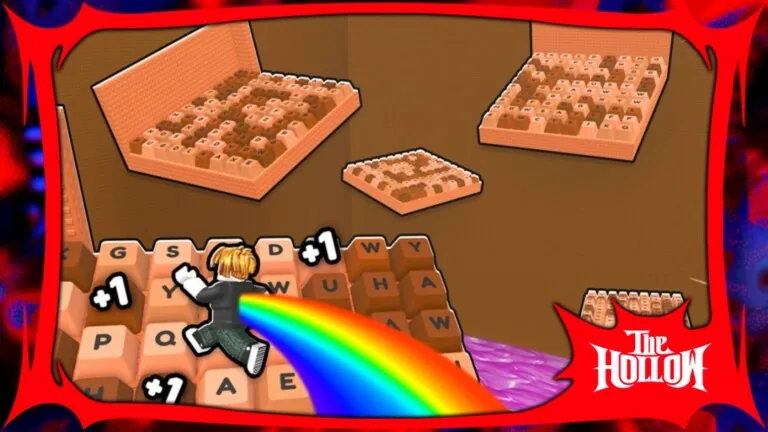
Speed Keyboard Escape values depend directly on speed multiplier percentages and item scarcity rather than static price sheets. Traders evaluate unequipped treadmills, auras, and trails using stat boosts, market demand, and cosmetic rarity to negotiate balanced exchanges in the Items Trading menu.
Core Valuation Factors in Item Trades
Every tradable treadmill, aura, and trail in +1 Speed Keyboard Escape carries an individual percentage boost. That percentage boost dictates functional value during trades. Visual effects and cosmetic designs often attract attention, but experienced players judge inventory purely on how much raw velocity an item contributes toward stage completion.
Trading operates strictly through the in-game Items Trading window, which reads directly from your unequipped inventory. If an item is currently equipped on your avatar, the system locks it from the trade interface. Players who want to offer active gear must remove it beforehand. Items bought directly from the developer store through Robux, such as the Premium Trade Booth pass for 159 Robux or standard store gamepasses, belong to account entitlements rather than the direct player-to-player item swap window. Tracking standard gamepass prices helps players separate paid account perks from tradable gear.
Market demand shifts depending on event cycles and world requirements. Because players constantly seek higher velocity to clear obstacle courses, utility items that provide substantial speed multipliers hold far more negotiating power than low-tier filler drops.
Equipment Trading Tiers
Market listings on exchange platforms divide items into three distinct valuation tiers based on scarcity, difficulty of acquisition, and utility.
| Item Category | Trade Priority Situation | Tradeoff to Consider |
|---|---|---|
| High-Multiplier Auras | Pushing difficult courses or setting fast leaderboard runs | Demands multiple mid-tier items or rare seasonal pieces in exchange |
| Mid-Tier Treadmills | Establishing consistent speed progression across regular stages | Consumes unequipped inventory reserve and requires reliable stat replacements |
| Cosmetic & Event Trails | Collecting visual trails or unique thematic effects | Sacrifices functional percentage gains for aesthetic rarity |
Rare and High-Demand Tier
The top of the market belongs to rare drop auras and limited-time equipment. These items offer the highest multiplier percentages or originate from timed developer events. Because these pieces dramatically cut down the steps required to gain speed, sellers hold out for equal stat power or multi-item packages. If an aura provides an upgrade to your active loadout, trading it away leaves your progression slower unless a replacement is already waiting in your unequipped slots.
Solid Mid-Tier Items
Mid-tier inventory consists of steady progression treadmills and balanced trails. These items circulate frequently among players working through mid-game stages. They hold reliable demand because newer runners require them as stepping stones before reaching endgame zones. Value in this tier remains stable because buyers evaluate them strictly against the time saved during regular running loops. Selecting the best items from this tier ensures you do not overpay for minor stat bumps.
Common and Bulk Tier
Common trails, low-tier training tools, and high-supply drops make up the bulk tier. These items have minimal individual value because active runners acquire them quickly through standard play. Bundling several low-tier items together rarely convinces sellers of high-tier items to accept an offer. Most active players treat common drops as filler rather than viable trade currency.
Verifying Offers in the Items Trading Window
The Items Trading menu displays both offers side by side before any transaction finalizes. Safe trading requires verifying the exact multiplier figures on both sides of the window instead of relying on cosmetic names. Following an organized trading guide ensures you avoid common pitfalls during peer-to-peer swaps.
To evaluate any proposed exchange:
- Open the Items Trading menu and select the trade partner.
- Select your offer from the unequipped inventory column.
- Review the other player's offered items and read their specific percentage multipliers.
- Calculate whether the total speed increase you receive equals or exceeds the multiplier you surrender.
- Confirm the transaction only after both sides show balanced value.
Both players must click ready before the trade completes automatically. Never finalize a transaction if the other trader swaps an item out at the last moment or if the total percentage boost leaves your avatar at a lower training rate.
Next step
Ad Rewards Fix
Resolve ad reward problems in +1 Speed Keyboard Escape and discover alternative multipliers to keep your speed progression moving forward.