
Speed Keyboard Escape Trading Guide: How to Trade Items
Trading in Speed Keyboard Escape allows players to swap unequipped trails, treadmills, and auras directly through the player trade menu or inside the dedicated Trading Hub by comparing item speed multipliers before locking in an exchange.
Trading in Speed Keyboard Escape allows players to swap unequipped trails, treadmills, and auras directly through the player trade menu or inside the dedicated Trading Hub by comparing item speed multipliers before locking in an exchange.
How to Trade Items with Other Players
Direct player exchanges take place through the built-in Items Trading interface. The system reads your backpack inventory to populate valid offers, meaning equipped items stay invisible until you take them off.
To complete a standard player-to-player trade:
- Open the trade request menu and select a target player in your server.
- Ensure your trade settings are set to receive requests if you expect an incoming invite, or adjust settings to unblock trade requests when requests fail to arrive.
- Browse the unequipped items list and select the gear you want to move into your offer box.
- Review both sides of the interface simultaneously as the other player adds items.
- Click ready once both sides balance out; the trade finishes immediately after both participants confirm.
The trading system functions purely as an item swap interface rather than a direct currency marketplace. Items transferred through confirmed trades land directly in your inventory ready for use or merging.
Trading Hub Layout and Booth Access
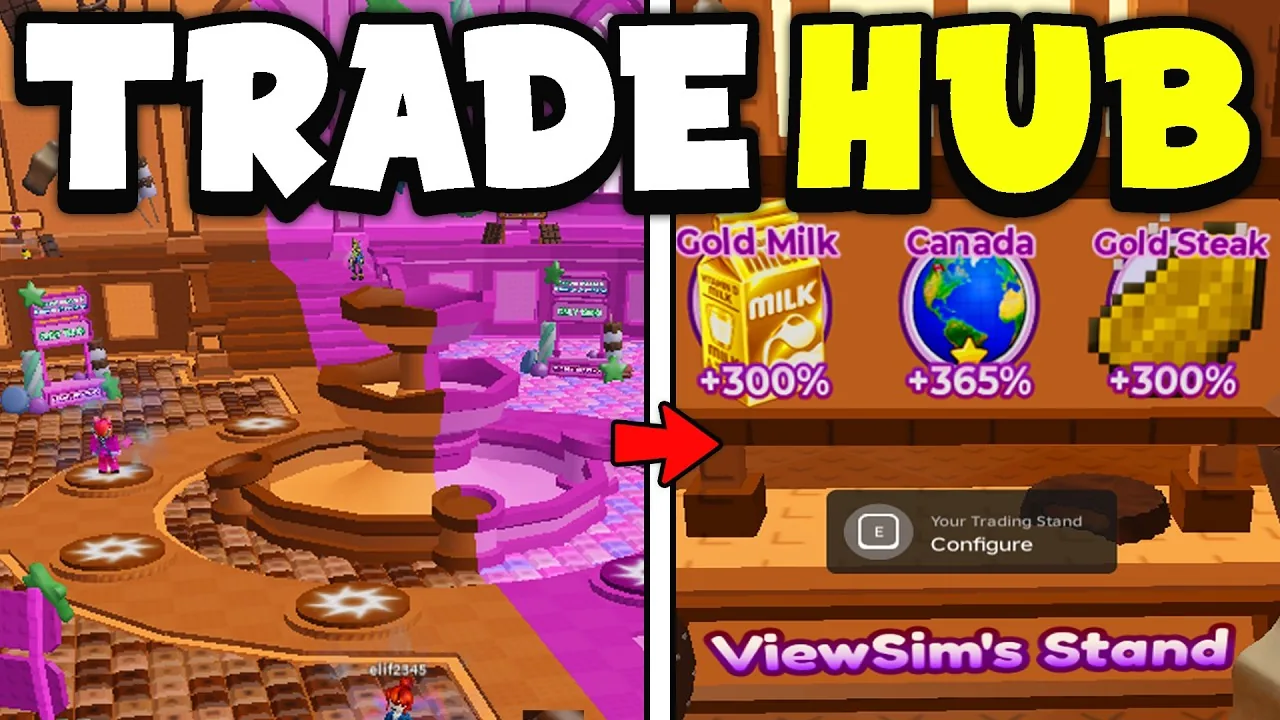
Players can move between standard play areas and the trading space via the in-game teleport menu. The destination is listed under the teleport options as the Trading Hub, which serves as a communal trading plaza where players gather to display rare equipment.
Inside the hub, booth locations determine how you present items:
- Center booths: Positioned in the middle of the room, these spaces require the Premium Trade Booth pass, which costs 159 Robux under the official store listings.
- Outskirt booths: Positioned around the perimeter of the room, these claimable booths are free to claim for anyone in the server.
Once claimed, a booth lets you place unequipped gear like wings or special cosmetics on display. Placing items on a booth advertises what you own to everyone walking past, prompting interested players to send trade requests directly to you.
Tradable Equipment and Inventory Restrictions
The game separates inventory gear into tradable cosmetics and untradable account entitlements. Only unequipped items sitting freely in your bag can be loaded into an active trade window.
| Item Category | Trade Availability | Operational Rules |
|---|---|---|
| Unequipped auras and trails | Tradable | Must be removed from character slots before opening the trade menu |
| Unequipped event items | Tradable | Includes items like Candy Dominus, Golden Hook, and event drops |
| Equipped equipment | Untradable | Hard-locked by the menu until unequipped in player inventory |
| Store gamepasses | Untradable | Bound to Roblox accounts; cannot be placed into the trade window |
When an item fails to appear in the selection panel during a trade, exit the window, open your inventory, unequip the item from your avatar, and reopen the trade prompt.
Evaluating Multipliers and Trade Values
Values in Speed Keyboard Escape depend on utility and rarity rather than visual appearance alone. Every functional treadmill, trail, and aura grants specific speed multipliers that accelerate your progression through stages and worlds.
Before confirming an exchange, consider how each piece contributes to your setup:
| Trade Scenario | Best Choice | Cost or Trade-off |
|---|---|---|
| Upgrading movement rate | Accept items with higher percentage boosts (+50% to +100%) | Giving up duplicate lower-tier accessories |
| Prepping for item merging | Keep 5 matching items of the same tier (such as 5 Golden Crowns) | Stalls short-term trade turnaround |
| Swapping event exclusives | Trade limited event drops like Golden Stake or Candy Dominus | Requires consulting community pricing or the value list |
A trade is mathematically unfavorable if the combined percentage boost of your outgoing gear exceeds the incoming item, regardless of cosmetic rarity. Checking item stats and verifying that you retain sufficient gear to continue running courses prevents accidental losses during trading sessions.
Next step
Trading Plaza Hub
Locate the trading hub, secure free display stalls, and negotiate item swaps directly with other players in the server.
Related Guides
Codes and Redemption
Redeem official promotional codes and social rewards in Speed Keyboard Escape to claim free speed points and cosmetic treadmill skins.
Ad Rewards Fix
Resolve ad reward problems in +1 Speed Keyboard Escape and discover alternative multipliers to keep your speed progression moving forward.