
Speed Keyboard Escape Trading Plaza: Booth Setup and Item Swaps
The Speed Keyboard Escape trading plaza is an indoor exchange zone accessed through the in-game teleport menu under Trading hub. Players claim free booths along the outskirts or purchase central stalls to display items and arrange direct player-to-player trades.
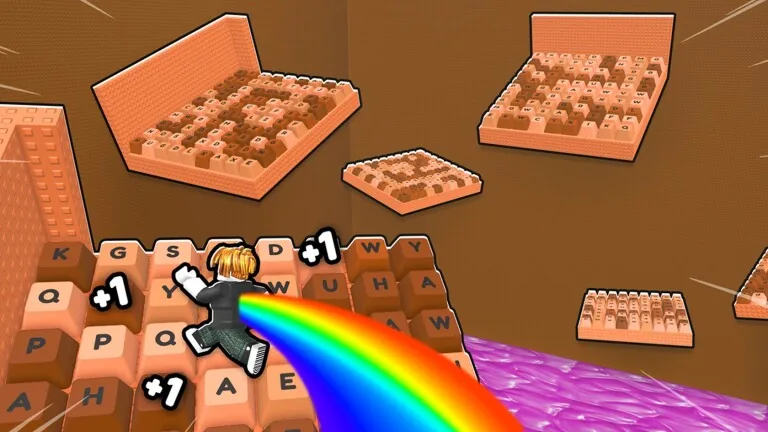
The Speed Keyboard Escape trading plaza is an indoor exchange zone accessed through the in-game teleport menu under Trading hub. Players claim free booths along the outskirts or purchase central stalls to display items and arrange direct player-to-player trades.
Entering the Trading Hub
Access to the trading floor is handled directly through the interface rather than a physical portal in the starting zone. Opening the teleport menu displays a direct destination labeled Trading hub. Selecting this destination loads the character into a dedicated indoor room separate from the primary candy track obstacle courses.
Servers hold up to 22 players at a time. Unlike outdoor tracks where players race across keyboard keys, this space keeps players in close proximity to inspect inventories and send trade offers.
Selecting a Display Booth
Upon entering the room, stalls are arranged across two distinct sections: the center floor and the perimeter walls.
| Booth Option | Best For | Requirement |
|---|---|---|
| Outskirts Booth | Displaying items without spending currency | Free claim upon walking up to an empty stall |
| Center Booth | Positioning items on the central floor | Premium Trade Booth pass costing 159 Robux |
Free booths on the outskirts activate immediately when an unowned stall is claimed. Players who choose central placement must own the Premium Trade Booth gamepass, which is listed among the official gamepass prices for 159 Robux. Both booth types provide the same underlying display slots to showcase owned inventory to anyone walking past.
Setting Up Items on Display
The stalls in this game function differently from marketplace vendors in standard simulator titles. You do not list items for a set price in coins or wins. Instead, the stall serves as a visual advertisement board.
Players interact with their claimed booth to mount owned gear, including back wings, hats, and collectible pets. Placing items on display signals what inventory you hold so passing players can approach and initiate an exchange. Sending and receiving offers requires trade requests to remain active in your settings. If other players cannot initiate an exchange with your avatar, you need to unblock trade requests so trade prompts can go through.
Exchanging Items with Other Players
Direct trading happens through a side-by-side swap window between two players standing near each other. Both players insert the items they agree to exchange and review the contents before locking the transaction.
Inventories feature varied cosmetic items and event drops with visible tier ratings, such as star tiers on Canada Earth collectibles. Other common items seen in trade swaps include Candy Dominus gear, trophies, night blocks, and noobs. Certain collectible drops have distinct origins:
- Bug jars were distributed to players following an earlier game glitch.
- Limited collectibles like milk, cheese, and fedoras hold higher demand due to limited spawns.
- Gold item variants, including gold hooks, gold milk, and gold cheese, had restricted spawn counts.
Because the swap menu does not include an internal chat box or dedicated trading currency, players must evaluate trades directly through the items offered on screen. Reviewing relative item rarity against an established value list helps verify whether a trade is balanced before both participants accept. Following general principles outlined in the trading guide prevents accepting unbalanced exchanges while swapping rare cosmetics in the hub.
Next step
Trick or Treating
Find trick-or-treat house locations across the Halloween world to farm candy corn, dodge bosses, and purchase event shop upgrades.
Related Guides
Codes and Redemption
Redeem official promotional codes and social rewards in Speed Keyboard Escape to claim free speed points and cosmetic treadmill skins.
Ad Rewards Fix
Resolve ad reward problems in +1 Speed Keyboard Escape and discover alternative multipliers to keep your speed progression moving forward.