
Speed Keyboard Escape Medal Quest Guide: How to Get the Medal Aura
The Speed Keyboard Escape medal quest unlocks the exclusive Medal Aura and Cookie Bag by linking your Roblox account to medal.tv and publishing a public gameplay clip. Completing this promotional task provides an active 2x speed boost for your runs.
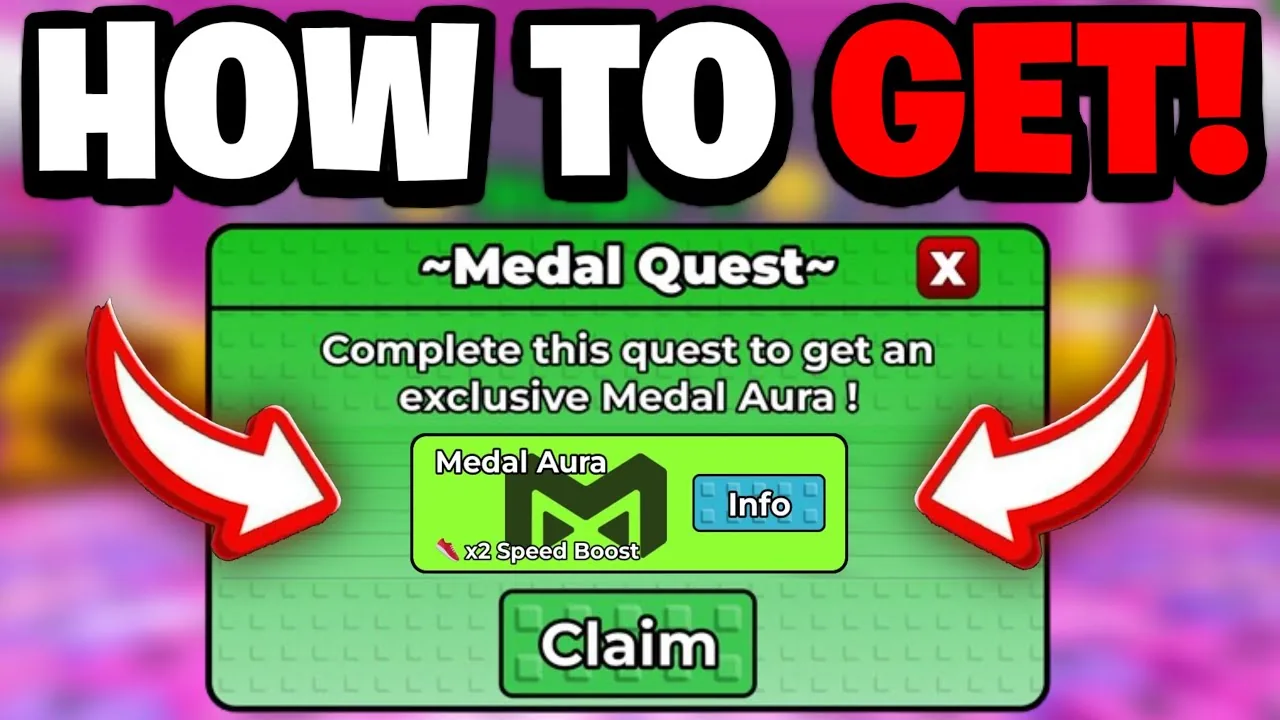
The Speed Keyboard Escape medal quest unlocks the exclusive Medal Aura and Cookie Bag by linking your Roblox account to medal.tv and publishing a public gameplay clip. Completing this promotional task provides an active 2x speed boost for your runs.
Requirements for the Medal Quest
SecretVerse Studio launched the Medal Quest as an official collaboration with the clipping platform medal.tv. To participate, you need a registered Medal account and the standalone desktop software or mobile application installed on your device.
The event requires direct verification between platforms. Your Roblox profile must link directly to Medal under your account settings, and your recorded clip must clearly tag the game while maintaining public visibility. Setting your recording to private or unlisted prevents the event system from verifying completion.
Step-by-Step Medal Quest Walkthrough
Completing the event takes only a few minutes when following the correct setup order:
- Download the Medal application from medal.tv on PC or through Google Play / the iOS App Store on mobile.
- Open the Medal settings menu, select Connected Accounts, and authorize the connection to your Roblox profile.
- Launch +1 Speed Keyboard Escape while logged into that same Roblox profile.
- Record gameplay footage of the game. On PC, press the default F8 hotkey while in-game to capture the previous 30 to 60 seconds. On mobile, launch the recorder through the Medal app or import an active screen capture.
- Open the clip editor in Medal, set the title, select +1 Speed Keyboard Escape as the tagged game, and verify that visibility is set to Public.
- Publish the clip to your profile and allow the upload to finish processing.
- Return to +1 Speed Keyboard Escape, approach the Medal Quest stand, and press the claim button to collect your items.
Medal Quest Platform Setup
Choosing where to capture your gameplay clip depends on your primary device:
| Platform | Setup Requirements | Main Tradeoff |
|---|---|---|
| PC Desktop | Install medal.tv client and use the default F8 hotkey | Requires background app execution during gameplay |
| Android / iOS | Install mobile app and enable screen capture permissions | Needs manual video import or recording switches |
Medal Quest Rewards and Aura Stacking
The quest distributes two event-exclusive inventory items upon completion:
- Medal Aura: Provides an active 2x speed gain multiplier while equipped.
- Cookie Bag: An exclusive promotional gear piece delivered alongside the aura.
The Medal Aura equips through your in-game inventory menu under the Auras tab. Its flat +2 speed per step and 2x speed multiplier stack directly on top of basic steps, base multipliers from your rebirth guide progression, and boosts unlocked on a treadmill unlock station. Combining the Medal Aura with the temporary 2x speed ad boost from the shop yields a 4x multiplier for general training, giving newer accounts a massive jump start detailed across our beginner guide. Because trails and auras occupy separate cosmetic slots, you can wear the Medal Aura alongside your chosen trail to further enhance your speed multipliers.
Resolving Verification Delays
If the in-game quest stand does not register your completion immediately, check these common configuration problems:
- Video Visibility: Medal defaults some uploads to unlisted. Open your clip settings in Medal and verify that visibility is set to Public so the Roblox API can read the post.
- Game Tag Accuracy: The clip must have +1 Speed Keyboard Escape attached as its specific title category rather than generic Roblox. Re-tag the clip from the edit menu if it published without a game label.
- Server Verification Delay: The quest pedestal can take several minutes to process external uploads. Exiting to the Roblox main menu and rejoining the server refreshes account status, turning the claim button green once the clip registers.
Next step
The Hollow Badge
Find the Headless Halloween portal, build speed with free boosts, survive stage hazards, and claim The Hollow event badge for tickets.